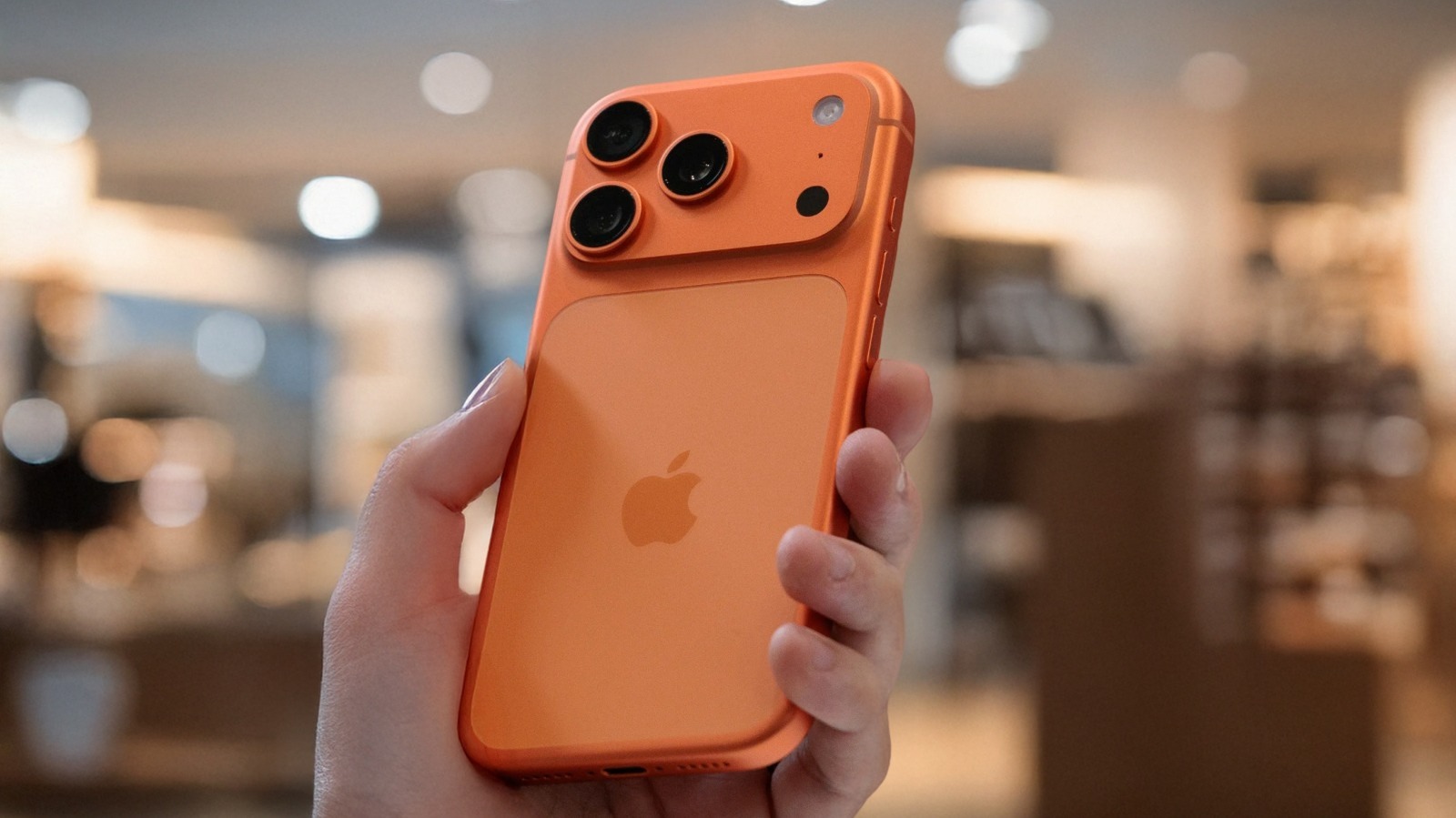
Quick Facts
- Product: Clicks Communicator
- Price: $500 MSRP ($399 early reservation price)
- Operating System: Android 16 with a customized Niagara Launcher interface
- Display: 4.03-inch AMOLED tailored for messaging and text efficiency
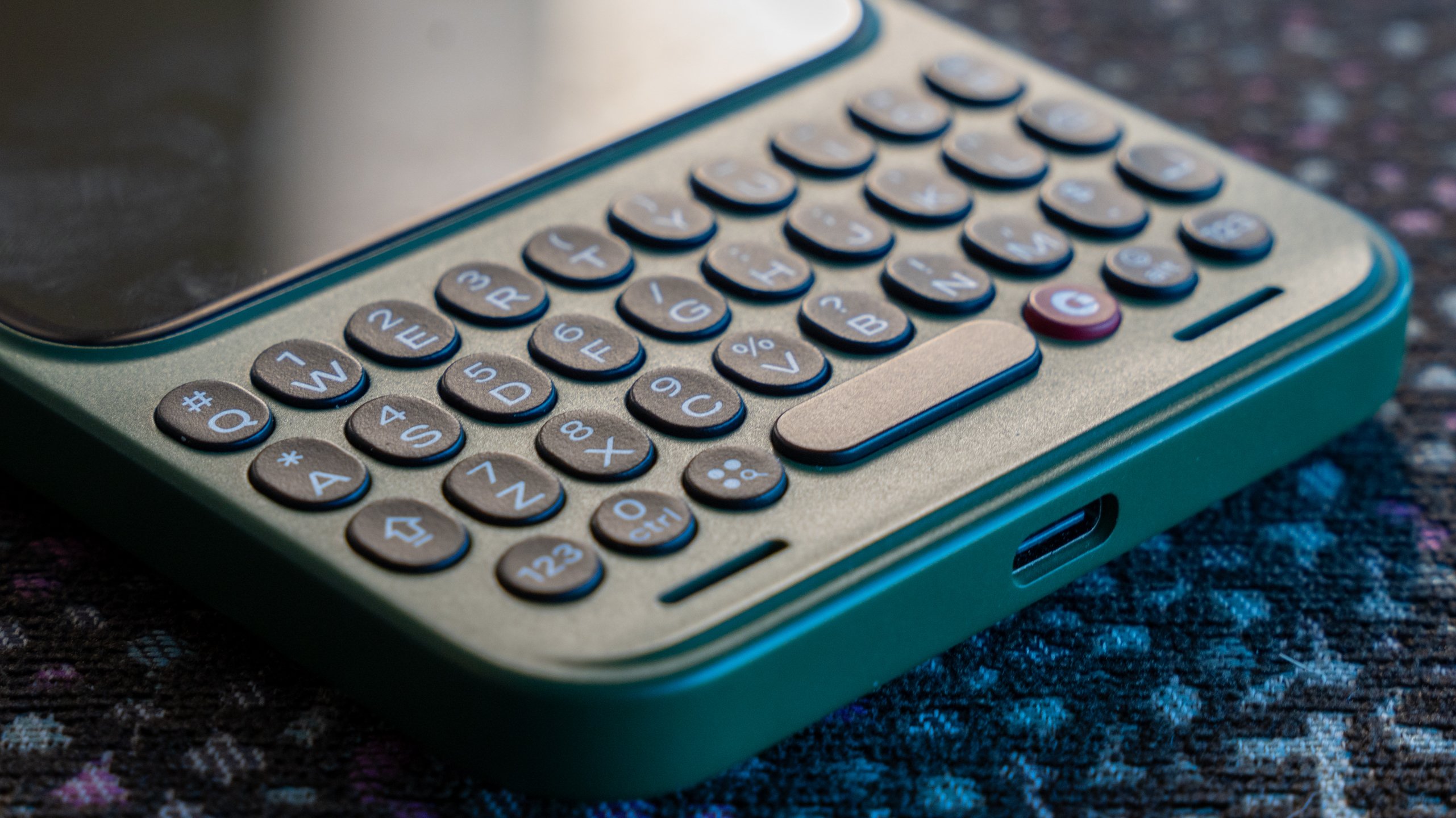
- Key Features: Full physical QWERTY keyboard with backlight, touch-sensitive trackpad, 3.5mm headphone jack, and MicroSD expansion (up to 2TB)
- Connectivity: 5G, Wi-Fi 6E, Physical SIM + eSIM
- Availability: Shipping globally following the success of over 100,000 units of previous Clicks keyboard accessories
The Return of Tactile Productivity
The modern smartphone has become a victim of its own success. In our pursuit of the "everything device," we have sacrificed the tactile precision that once defined the professional mobile experience. As a travel critic who has spent decades filing reports from airport lounges and remote hotels, I have watched the "glass slab" transition from a revolutionary tool into a distraction-heavy entertainment portal. The Clicks Communicator arrives not as a nostalgic gimmick, but as a calculated response to the "doomscrolling" epidemic and the rise of the "two-phone lifestyle."
The Clicks Communicator is a messaging-centric Android 16 smartphone featuring a full physical QWERTY keyboard, a 4.03-inch AMOLED display, and a custom Niagara Launcher interface designed for productivity. It is a device that demands intentionality. Much like a Leica camera or a high-end mechanical watch, it does one thing exceptionally well: it facilitates clear, precise communication. For those of us who still remember the efficiency of a BlackBerry Bold, the promise of a physical keyboard smartphone in 2026 is not just about retro appeal—it’s about reclaiming our focus.
Designed for 'Doing,' Not 'Doomscrolling'
The design philosophy of the Communicator is built on a "Kindle for Messaging" analogy. Just as a Kindle removes the distractions of an iPad to focus on reading, the Communicator narrows the smartphone experience to prioritize signal over noise. This starts with the 4.03-inch square AMOLED display. In an era of 6.8-inch phablets, this screen size sounds diminutive, but it is purpose-built. It provides enough vertical space for text-heavy applications like Slack, WhatsApp, and Gmail without the tempting real estate required for immersive TikTok or Netflix consumption.
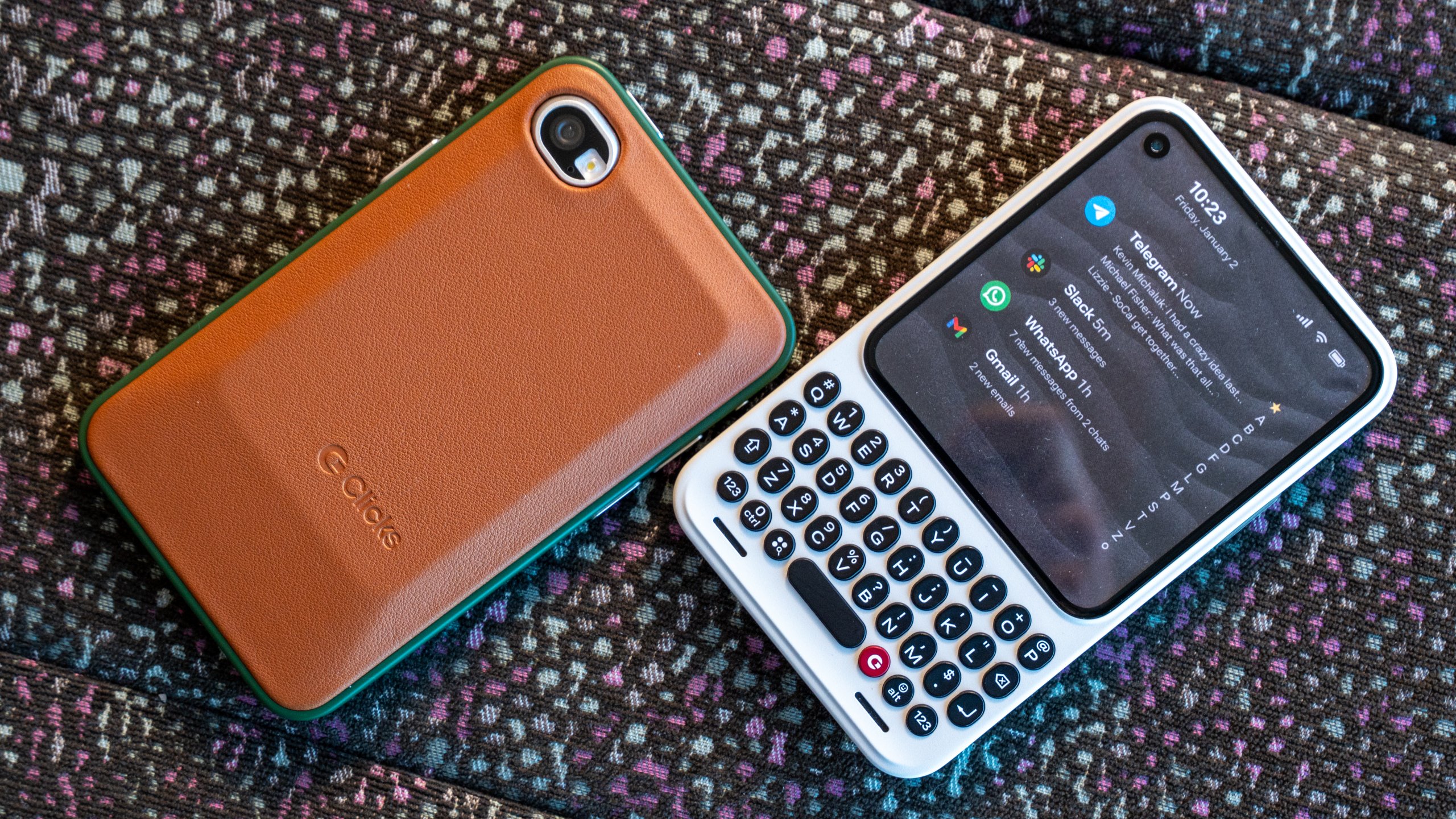
The soul of the software is the Niagara Launcher integration. Rather than a chaotic grid of icons, the Communicator utilizes a triage-first home screen. Notifications are nested and actionable directly from the list, allowing users to "triage" their digital life without ever diving into a distracting app drawer.
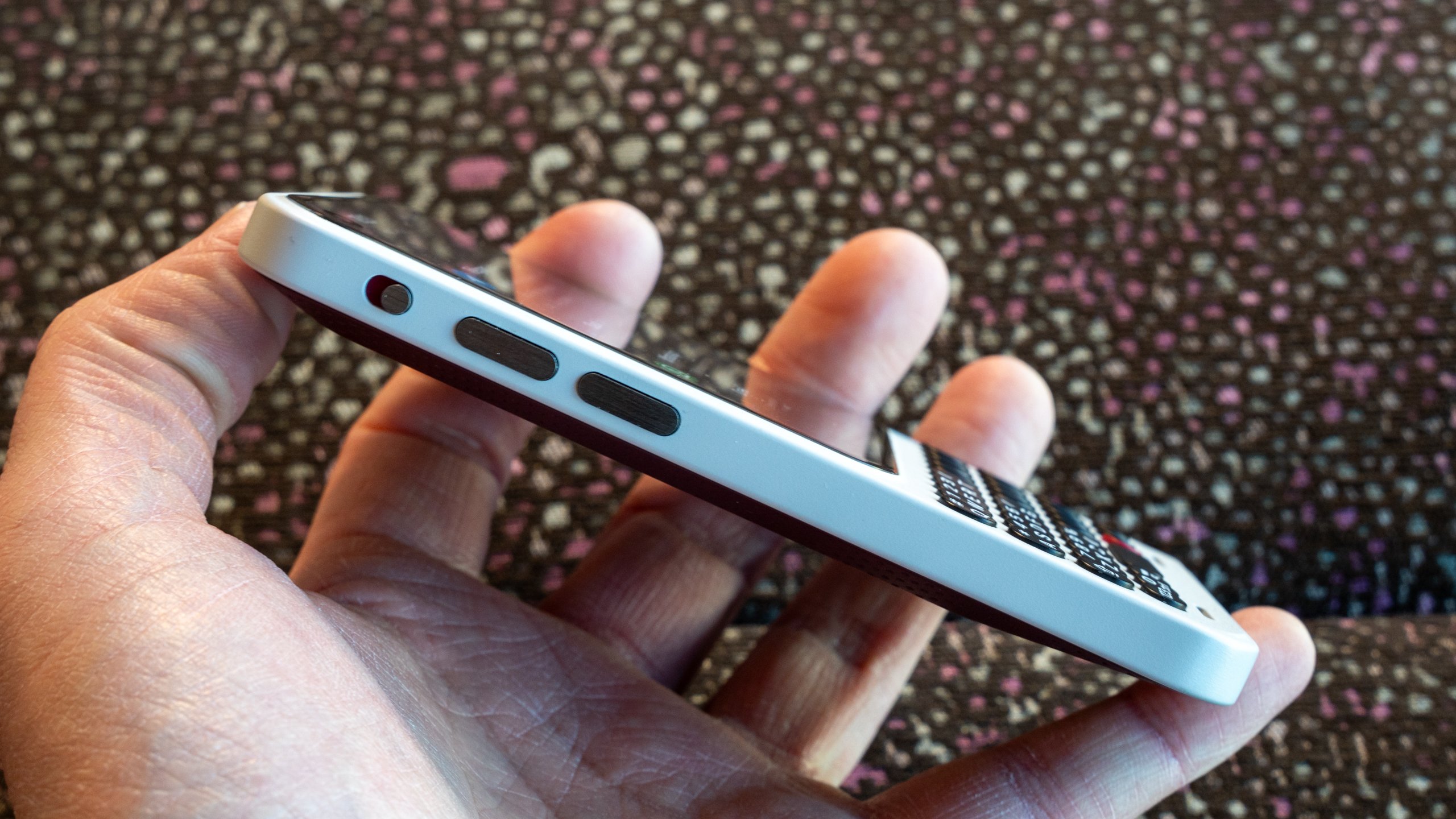
Pro Tip: Niagara Launcher on the Clicks Communicator allows you to hide all non-essential apps behind a single gesture. Keep your home screen limited to the 5 tools you actually need for work to maximize the "intentional tech" experience.
Hardware Deep Dive: More Than Just Buttons
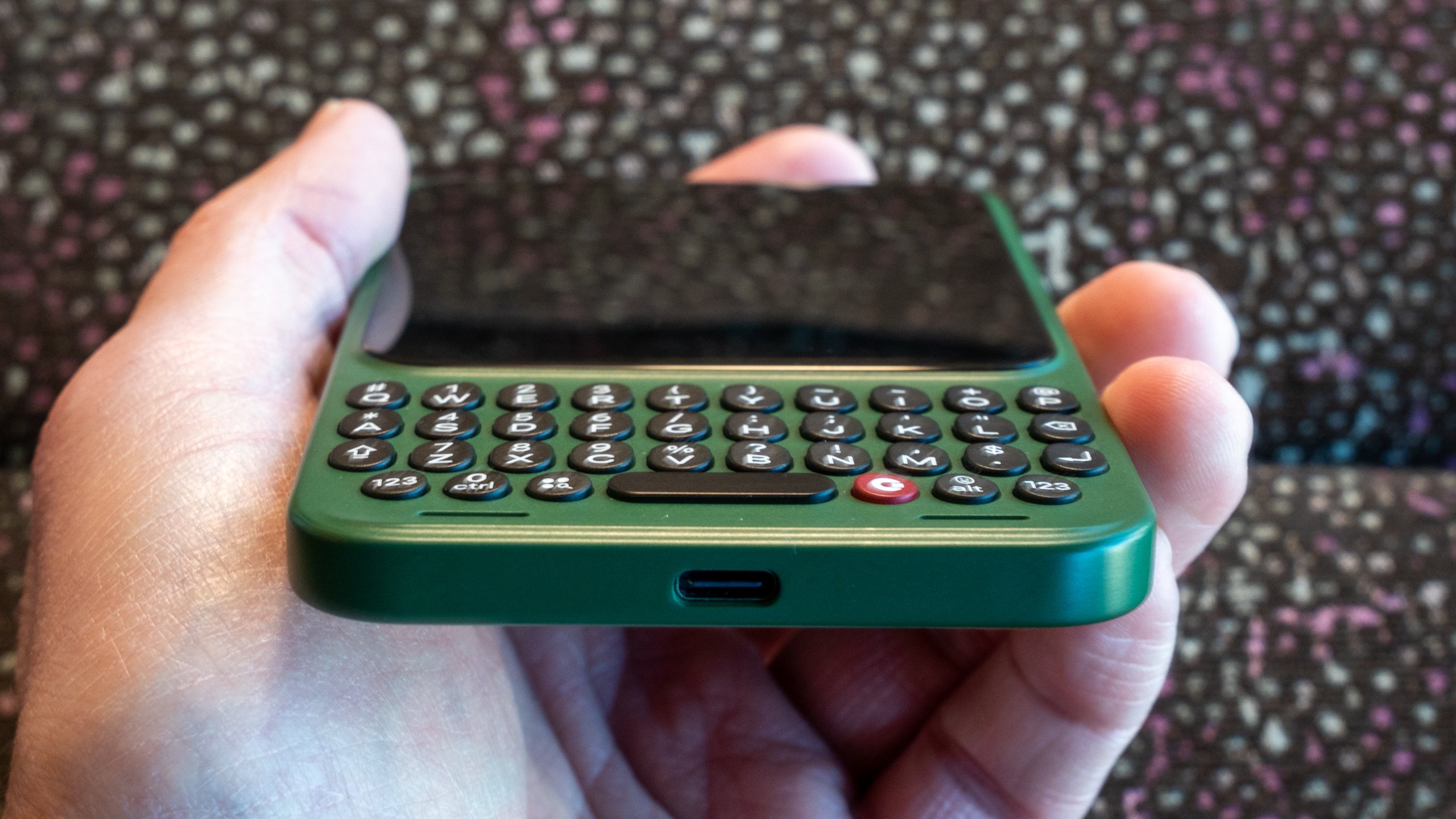
At the heart of the device is the keyboard—a component that Clicks Technology has spent years refining. These aren't the cramped buttons of early Android attempts; these keys are 43% larger than the keys found on the original Clicks keyboard cases for iPhone. The feedback is clicky, tactile, and reminiscent of the legendary BlackBerry keyboards, having been designed by a team that includes several BlackBerry veterans.
However, the hardware's real "secret sauce" is the touch-sensitive trackpad functionality built directly into the keyboard surface. You don't need to reach for the screen to scroll through an article or a long email thread; you simply swipe your thumb across the keys. This keeps your hands in a natural typing position and keeps the screen smudge-free.
Under the hood, the Communicator is powered by a modern 4nm MediaTek SoC. While not a flagship gaming chip, it is more than capable of handling Android 16 with ease, ensuring that the interface remains fluid and the multitasking is snappy.
The device also defies modern "courageous" design trends by including legacy ports that are essential for the professional traveler. The Clicks Communicator price of $500 includes features often stripped from $1,200 flagships: a dedicated 3.5mm headphone jack and a MicroSD slot supporting up to 2TB of storage. For a travel critic, the headphone jack is a godsend for long-haul flights where Bluetooth interference is high and battery management is key.
The 'Signal LED' and the Prompt Key
One of the most requested features from the BlackBerry era was the notification LED, and Clicks has revived it with a modern twist. The RGB Signal LED is fully customizable. You can set it to pulse green for a high-priority WhatsApp message, blue for a work email, or pink for a message from a family member. This "glanceable triage" means you don't even have to wake the screen to know if a notification is worth your immediate attention.
On the side of the chassis sits the "Prompt Key." This is a dedicated hardware button that can be mapped to various productivity functions. By default, it acts as a quick-launch for voice-to-text or meeting recordings, but Clicks has hinted at deep future AI integrations. Imagine pressing the Prompt Key to have an AI assistant summarize the last ten messages in a group chat—all without opening the app.
Legacy Features vs. Modern Standards
While the Communicator leans into the "communicator" archetype of the early 2000s, it doesn't skimp on 2026 standards. The inclusion of a 4,000 mAh Silicon-Carbon battery is a masterstroke. Because the display is smaller and the processor is optimized for efficiency, this device easily lasts two full days of heavy messaging—a rarity in the modern market.
Comparison: Clicks Communicator vs. BlackBerry Key2
| Feature | Clicks Communicator | BlackBerry Key2 (Legacy) |
|---|---|---|
| Display | 4.03" AMOLED (Square) | 4.5" IPS LCD (3:2) |
| Keyboard | 43% Larger Keys, Trackpad | Capacitive Keys, Speed Key |
| Processor | 4nm MediaTek (Modern) | Snapdragon 660 (Obsolete) |
| Storage | 256GB + MicroSD (2TB) | 64GB/128GB + MicroSD |
| Battery | 4,000 mAh (Silicon-Carbon) | 3,500 mAh (Li-Ion) |
| Connectivity | 5G, Wi-Fi 6E, eSIM | 4G LTE, Nano-SIM |
| Camera | 50MP OIS Main / 24MP Selfie | Dual 12MP Main / 8MP Selfie |
The camera system is equally balanced. The 50MP main sensor with Optical Image Stabilization (OIS) captures sharp documents and essential travel photos, while the 24MP selfie camera is optimized for professional video conferencing. It’s not trying to replace your Sony Alpha, but it ensures you’re never "the guy with the blurry video" on a Zoom call.
Market Positioning: Primary Device or Pro Companion?
The central question for many will be whether the Clicks Communicator can serve as a primary device. For a specific subset of users—journalists, lawyers, and project managers—the answer is a resounding yes. If your digital life revolves around text, the Android phone with QWERTY keyboard is a revelation.
However, for others, it will find its home as a "Pro Companion." We are seeing a trend where users carry a large-screen device (like a Foldable) for media and a secondary, tactile device for work. The Communicator excels here. Its compact form factor and dedicated physical SIM + eSIM support make it an ideal "work phone" for international travel. Unlike the ill-fated Palm Phone, which was too small to be useful, the Communicator is sized for ergonomics and real-world typing.
Pricing, Reservations, and Availability
The Clicks Communicator retails for $500, but early adopters can secure a $399 early reservation price. This positioning places it firmly in the mid-range category, making it an accessible luxury for those tired of the glass-slab status quo.
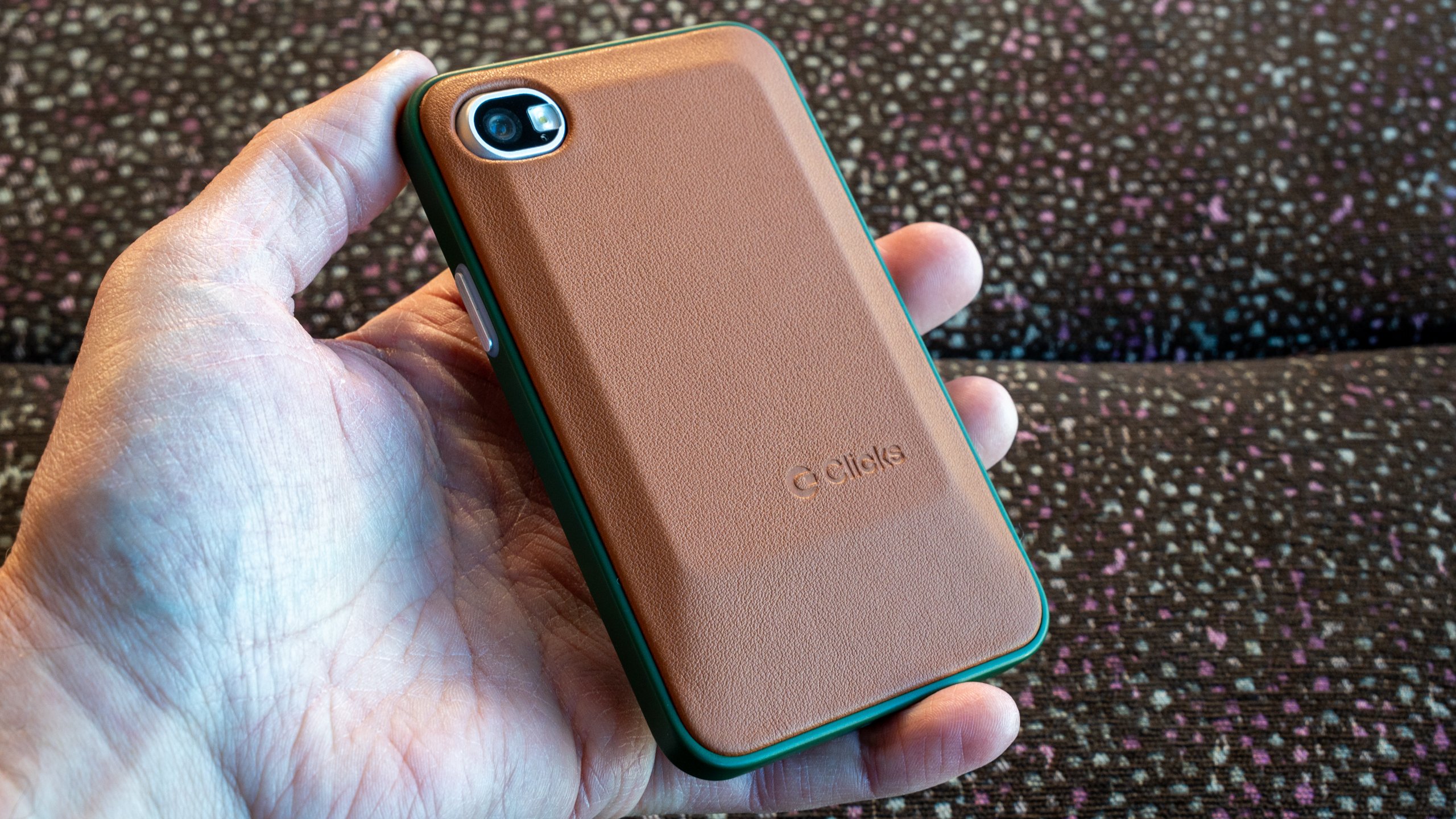
Aesthetics have not been ignored. The device launches in three sophisticated colorways: Smoke (a deep, matte grey), Clover (a muted forest green), and Onyx (a classic professional black). One of the more unique features is the modular back cover. These interchangeable covers allow users to change the look of their device or add additional grip, catering to both the minimalist and the utilitarian.
The Communicator is a global citizen, supporting extensive 5G bands that ensure connectivity from London to Tokyo. For the frequent flyer, the physical SIM slot remains a vital inclusion for picking up local SIMs in regions where eSIM adoption is still lagging.
Final Verdict: Is It Worth $500?
After analyzing the specs and the philosophy behind the Clicks Communicator, it’s clear that this is not a device for everyone—and that is its greatest strength.
The Pros:
- Tactile Accuracy: The keyboard is a masterclass in ergonomics, offering a typing speed and accuracy that no touchscreen can match.
- Intentional Design: The Niagara Launcher and square display successfully reduce digital fatigue and focus the user on "doing."
- Legacy Ports: The 3.5mm jack and MicroSD expansion are rare, valuable additions for professionals.
- Battery Life: Two-day battery life in a world of daily chargers is a significant lifestyle upgrade.
The Cons:
- Niche Appeal: If you consume high-density video content (YouTube/Netflix), the square 4.03-inch screen will feel restrictive.
- Mid-Range Power: While snappy, it won't win any benchmarks against the latest flagship chips from Apple or Qualcomm.
- Premium Pricing: $500 is a significant investment for what many might consider a "secondary" device.
Is it the ultimate BlackBerry alternative? For those who have been waiting since 2018 for a worthy successor to the Key2, the answer is a definitive yes. It takes the spirit of the communicator and updates it for the Android 16 era. It’s a tool for the focused, a companion for the traveler, and a bold statement against the homogenization of the smartphone industry.
FAQ
Q: Does the Clicks Communicator support all major US and International carriers? A: Yes, it features comprehensive 5G band support and includes both a physical Nano-SIM slot and eSIM capabilities, making it compatible with major carriers globally.
Q: Can I run standard Android apps on the square 4.03-inch screen? A: Yes, the device runs a full version of Android 16. While most apps scale perfectly to the square aspect ratio, apps specifically designed for ultra-tall displays (like certain mobile games) may show black bars or require scrolling.
Q: How does the "trackpad" keyboard work? A: The keyboard uses capacitive sensors beneath the physical keys. You can scroll through web pages or lists by swiping your finger across the surface of the keys, similar to the functionality found on the legacy BlackBerry Passport.
Call to Action
Ready to reclaim your focus and return to tactile typing? The Clicks Communicator is currently available for early-bird reservations.