For the discerning cinephile, the convenience of streaming has long been a compromise rather than a solution. While platforms like Netflix and Disney+ offer "4K" labels, the reality is buried in the bitrates. A standard 4K stream typically plateaus at an average of 15 to 25 Mbps—a fraction of the bandwidth required to deliver a truly cinematic experience. In contrast, 4K Ultra HD Blu-ray discs offer a maximum video bitrate of 128 Mbps, roughly 5 to 8 times the data density of even the best cloud-based services.
In 2025, the resurgence of physical media isn't just a nostalgic trend; it is a technical necessity for those who have invested in high-end OLED displays or reference-grade home theater systems. Beyond the visuals, the audio disparity is equally stark. Streaming relies on compressed Dolby Digital Plus, whereas physical discs provide lossless formats like Dolby TrueHD and DTS-HD Master Audio, ensuring that your soundstage has the dynamic range intended by the film’s sound mixer.
If you are looking to unlock the full potential of your home cinema, these are the four best 4K Blu-ray players currently on the market, vetted for their processing power, build quality, and format support.
At a Glance: Top 4K Blu-ray Players for 2025
| Model | Best For | Key HDR Formats | Analog Audio | Approx. Price |
|---|---|---|---|---|
| Panasonic DP-UB820-K | Most Enthusiasts | Dolby Vision, HDR10+, HLG | 7.1 Channel | $499 |
| Panasonic DP-UB9000 | Audiophiles/High-End | Dolby Vision, HDR10+, HLG | XLR Balanced | $1,099 |
| Sony UBP-X700U | Budget Conscious | Dolby Vision, HDR10 | None | $249 |
| PlayStation 5 Slim | Gamers/Casual Users | HDR10 | None | $449 |
1. Panasonic DP-UB820-K: The All-Rounder
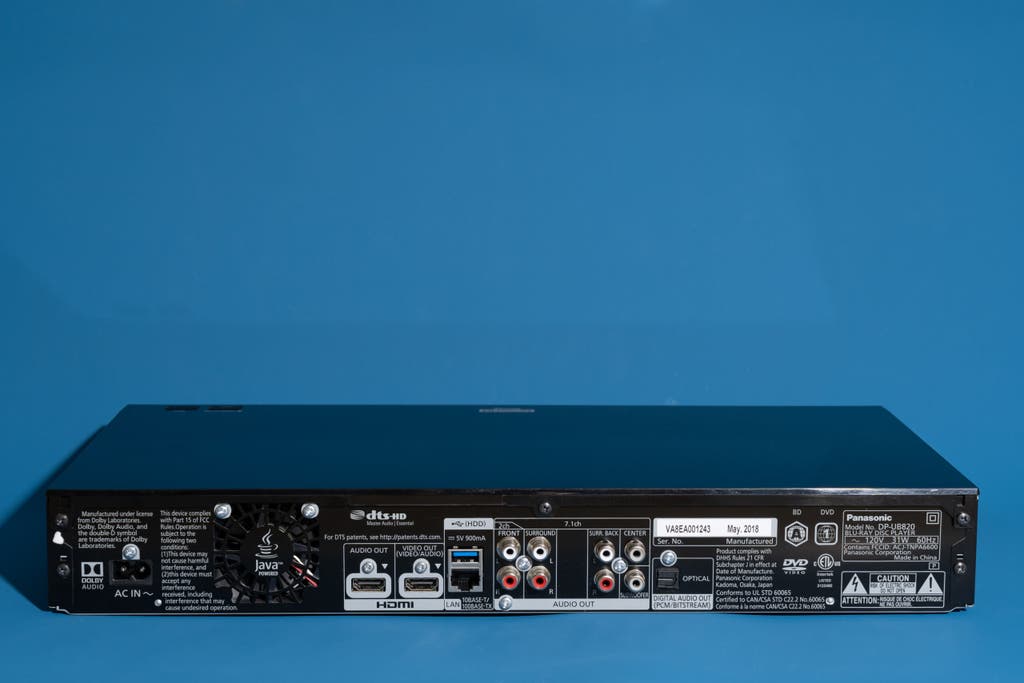
The Panasonic DP-UB820-K remains the undisputed heavyweight champion for most home theater enthusiasts. Its dominance isn't due to flashy design, but rather its "Hollywood Cinema Experience" (HCX) processor. This proprietary chip excels at chroma interpolation, essentially refining the color data on the disc to ensure smooth gradients and life-like skin tones that cheaper players simply cannot replicate.
The standout feature, however, is the HDR Optimizer. Most televisions struggle with "tone mapping"—the process of fitting high-brightness HDR content into the specific brightness capabilities of your screen. The UB820 handles this processing internally, allowing you to tell the player whether you have a basic LCD, a high-end OLED, or a projector. It then optimizes the signal before it ever reaches the display, preventing "clipping" (loss of detail in bright areas) and ensuring deep, ink-black levels.
Reasons to Buy:
- Reference-grade processing: The HDR Optimizer is the best in the industry for managing brightness.
- Universal HDR Support: It handles Dolby Vision and HDR10+ equally well.
- Extensive Connectivity: Includes dual HDMI outputs to separate video and audio signals.
Reasons to Avoid:
- Legacy User Interface: The menu system feels like it belongs in 2012.
- Build Quality: The chassis is primarily plastic, which lacks the premium feel of the UB9000.
View Panasonic DP-UB820-K Details →
2. Panasonic DP-UB9000: The Reference Standard
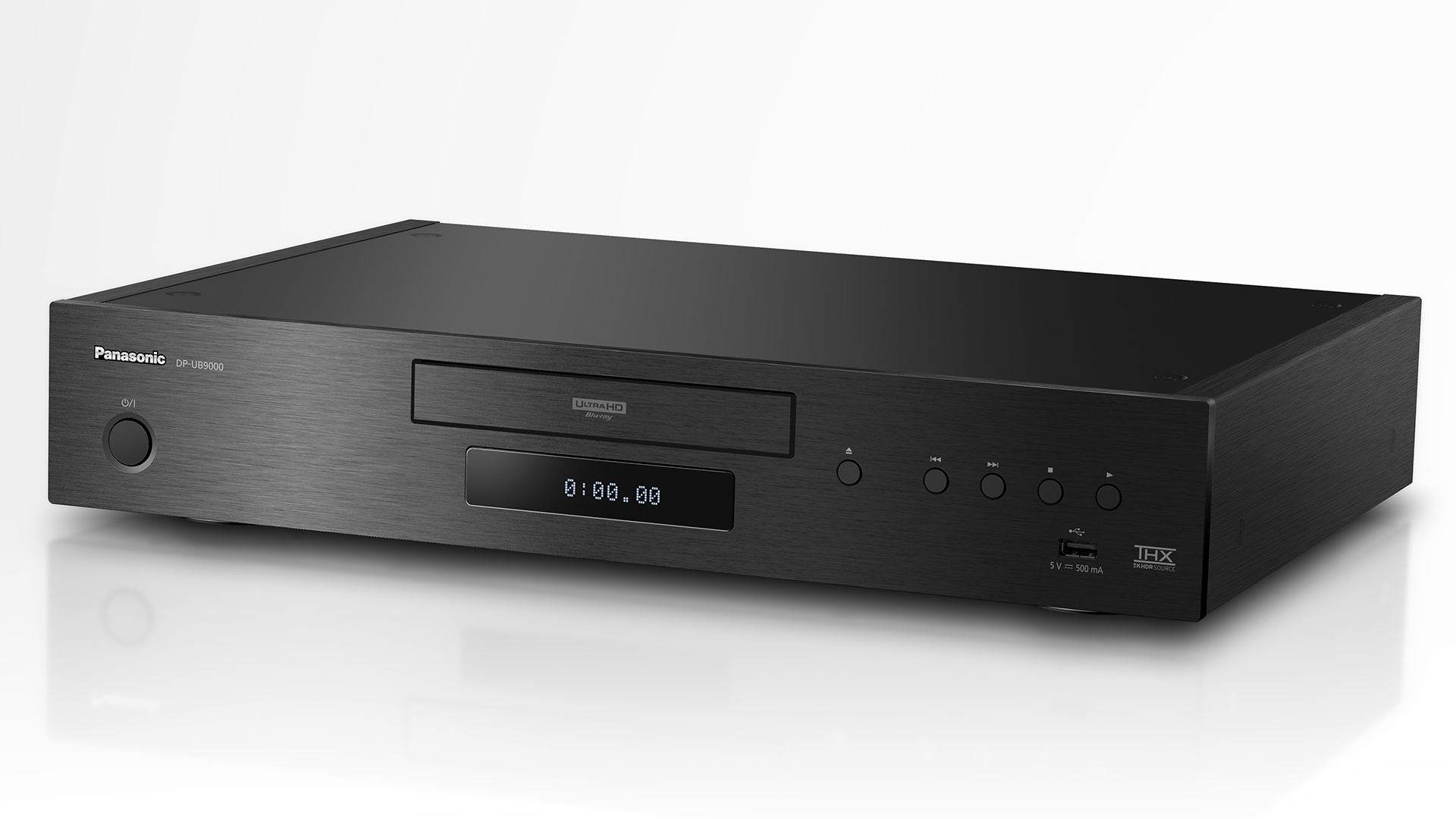
For those who view their home theater as a sanctuary, the Panasonic DP-UB9000 is the ultimate statement piece. While it shares the same excellent HCX processor as the UB820, the UB9000 is engineered with a "no compromises" approach to hardware. Weighing in at roughly 8kg (17.6 lbs), its dual-layer aluminum chassis is designed specifically to eliminate mechanical vibration.
In entry-level players, which can be up to 60% lighter, the high-speed rotation of a 4K disc can cause microscopic tremors that lead to read errors or audible mechanical noise. The UB9000 is dead silent. Furthermore, it serves as a world-class CD and SACD player, featuring dedicated digital-to-analog converters (DACs) and balanced XLR outputs for audiophiles who demand bit-perfect music playback.
Reasons to Buy:
- Tank-like Build: The heavy-duty vibration-reducing chassis ensures maximum disc stability.
- Audiophile Audio: Balanced XLR outputs and premium internal DACs.
- Backlit Remote: A small but essential touch for dark theater rooms.
Reasons to Avoid:
- Premium Pricing: At over $1,000, it is a significant investment.
- Overkill for Most: If you aren't using the analog audio outputs, the visual performance is identical to the UB820.
3. Sony UBP-X700U: The Budget-Friendly Entry
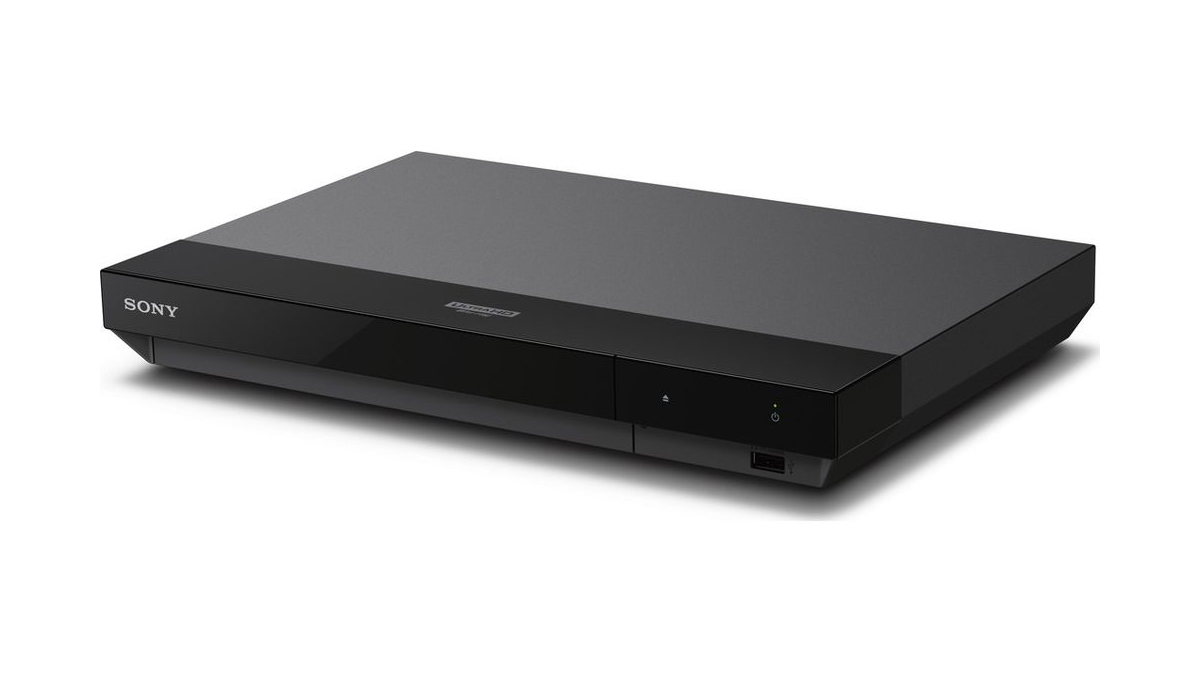
High-quality 4K playback doesn't have to cost a month's rent. The Sony UBP-X700U is the "giant killer" of the market. Despite its diminutive size, it provides essential features like Dolby Vision support and excellent 4K upscaling for your older standard Blu-rays and DVDs.
Its compact design makes it an ideal choice for bedroom setups or secondary AV racks where space is at a premium. However, the lower price point does come with one significant ergonomic trade-off: manual Dolby Vision switching. Unlike the Panasonic players, which detect the HDR format on the disc automatically, the Sony requires you to go into the settings menu and toggle Dolby Vision "On" or "Off." If you leave it "On" for a disc that doesn't support it, the colors will look distorted.
Reasons to Buy:
- Unbeatable Value: Often found for under $250.
- Compact Footprint: Fits into almost any entertainment center.
- Solid Upscaling: Makes 1080p content look remarkably sharp.
Reasons to Avoid:
- Manual HDR Switching: A frustrating hurdle for casual users.
- Light Build: More susceptible to "disc freeze" if the disc has even minor scratches.
4. PlayStation 5 Slim: The Best for Gamers
If you are a gamer, you likely already own one of the most capable 4K players on the market. The PlayStation 5 Slim (with the disc drive) is a powerhouse of a machine that handles 4K UHD discs with surprising competence. In our side-by-side comparisons, the PS5 provides cleaner 4K output and better upscaling than its primary rival, the Xbox Series X.
The main caveat here is the lack of Dolby Vision support for physical discs. While the PS5 supports Dolby Vision for streaming apps, it reverts to HDR10 for Blu-ray playback. For many users, this is a minor sacrifice given the console’s versatility, but for those with high-end OLEDs that thrive on Dolby Vision’s dynamic metadata, it may be a dealbreaker.
Reasons to Buy:
- Multi-purpose Utility: It is a world-class gaming console and a media hub.
- Fast Loading: The internal SSD and powerful processor mean lightning-fast menu navigation.
- Frequent Updates: Sony regularly patches the system to improve compatibility.
Reasons to Avoid:
- No Dolby Vision for Discs: Limited to standard HDR10.
- Higher Power Consumption: Uses significantly more electricity than a dedicated player.
Buying Guide: What to Look for in 2025
Choosing a player in 2025 requires looking beyond the "4K" sticker. To ensure your investment is future-proof, keep these three criteria in mind:
1. HDR Formats: The Battle of Metadata
There are two primary "dynamic" HDR formats: Dolby Vision and HDR10+. These formats adjust the brightness and color of the image scene-by-scene (or even frame-by-frame). While HDR10+ is championed by Samsung, Dolby Vision is the industry standard for most major film studios. For the best experience, choose a player that supports both, such as the Panasonic UB820.
2. Audio Passthrough and Lossless Formats
One of the primary reasons to buy a physical player is for the audio. Ensure your player supports "Bitstream" output, which allows it to pass the raw audio data (Dolby Atmos or DTS:X) directly to your Soundbar or AV Receiver. This ensures that your audio gear, rather than a cheap chip in the player, handles the heavy lifting of sound processing.
3. Build Quality and Thermal Management
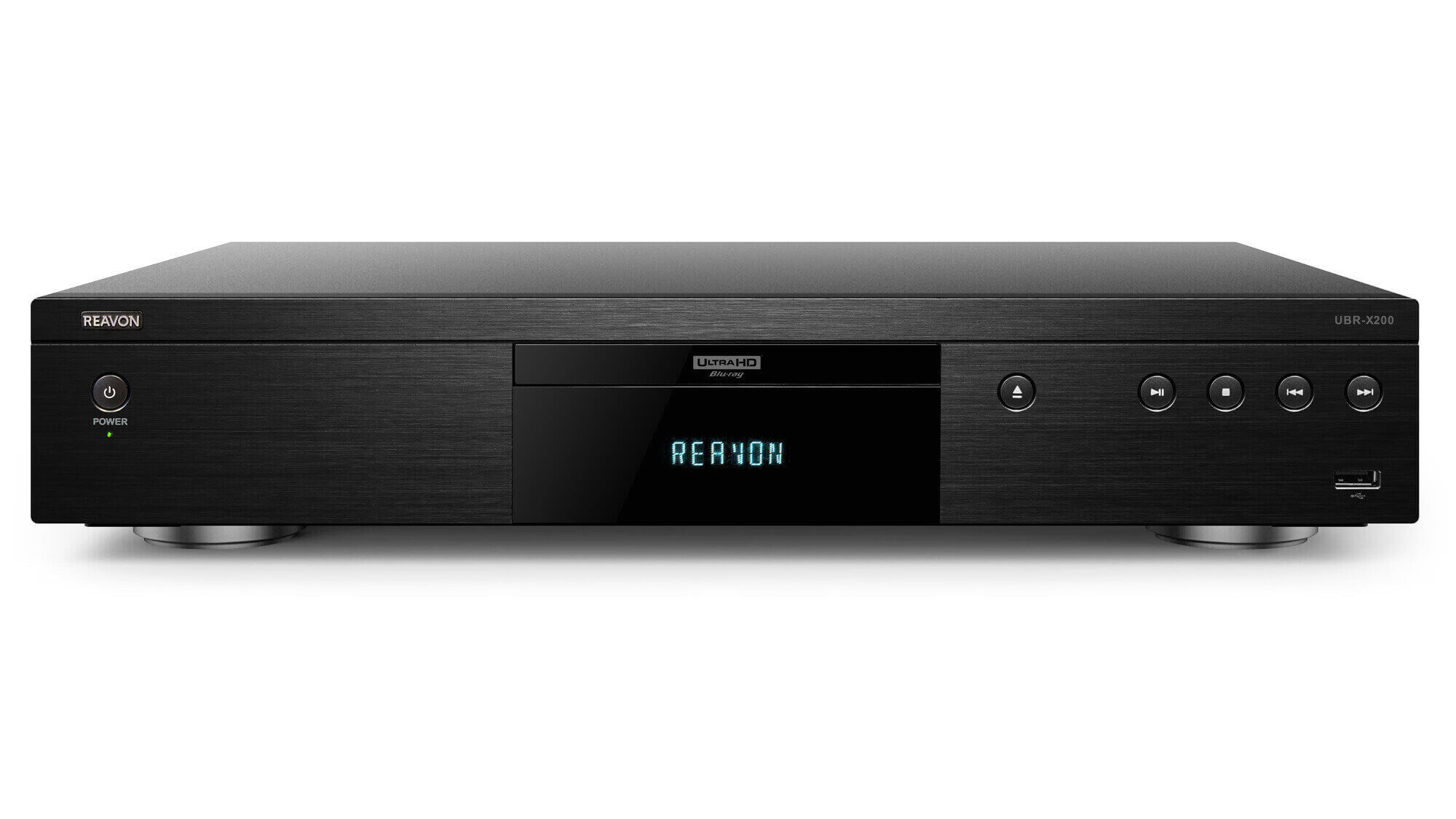
High-speed 4K discs generate heat and vibration. Premium players utilize heavier materials to ensure that the laser remains perfectly aligned with the disc's pits. If you plan on building a large collection of boutique 4K discs (from labels like Criterion or Arrow Video), investing in a sturdier player like the Panasonic UB9000 or a specialized unit from brands like Reavon can prevent playback issues down the line.
FAQ
Q: Do I need a special HDMI cable for a 4K Blu-ray player? A: Yes. You need a "Premium High Speed" HDMI cable (18Gbps) or an "Ultra High Speed" cable (48Gbps) to handle the massive data load of 4K HDR video and lossless audio. Older cables may cause "blackouts" or "sparkles" on the screen.
Q: Can these players play standard DVDs and Blu-rays? A: Absolutely. All 4K UHD players are "backward compatible," meaning they will play your existing DVD and Blu-ray collection. In fact, most of these players will "upscale" those older discs, making them look better than they ever did on a standard player.
Q: Is the difference between streaming and a disc actually noticeable? A: On a screen 55 inches or larger, the difference is immediate. You will notice a lack of "macroblocking" (pixelation) in dark scenes and a much wider range of colors. If you have a surround sound system, the difference in audio clarity is even more profound.
Final Verdict
If you are serious about your movie-watching experience, the Panasonic DP-UB820-K is the smartest purchase you can make in 2025. It offers the perfect intersection of professional-grade video processing and consumer-friendly pricing. For those on a strict budget, the Sony UBP-X700U provides the essential 4K experience for less, while audiophiles should look no further than the tank-like Panasonic DP-UB9000.
Stop letting your internet bandwidth dictate your movie quality. It’s time to rediscover the power of the disc.